Google Search Console AI Performance Reports: What Website Owners Should Know
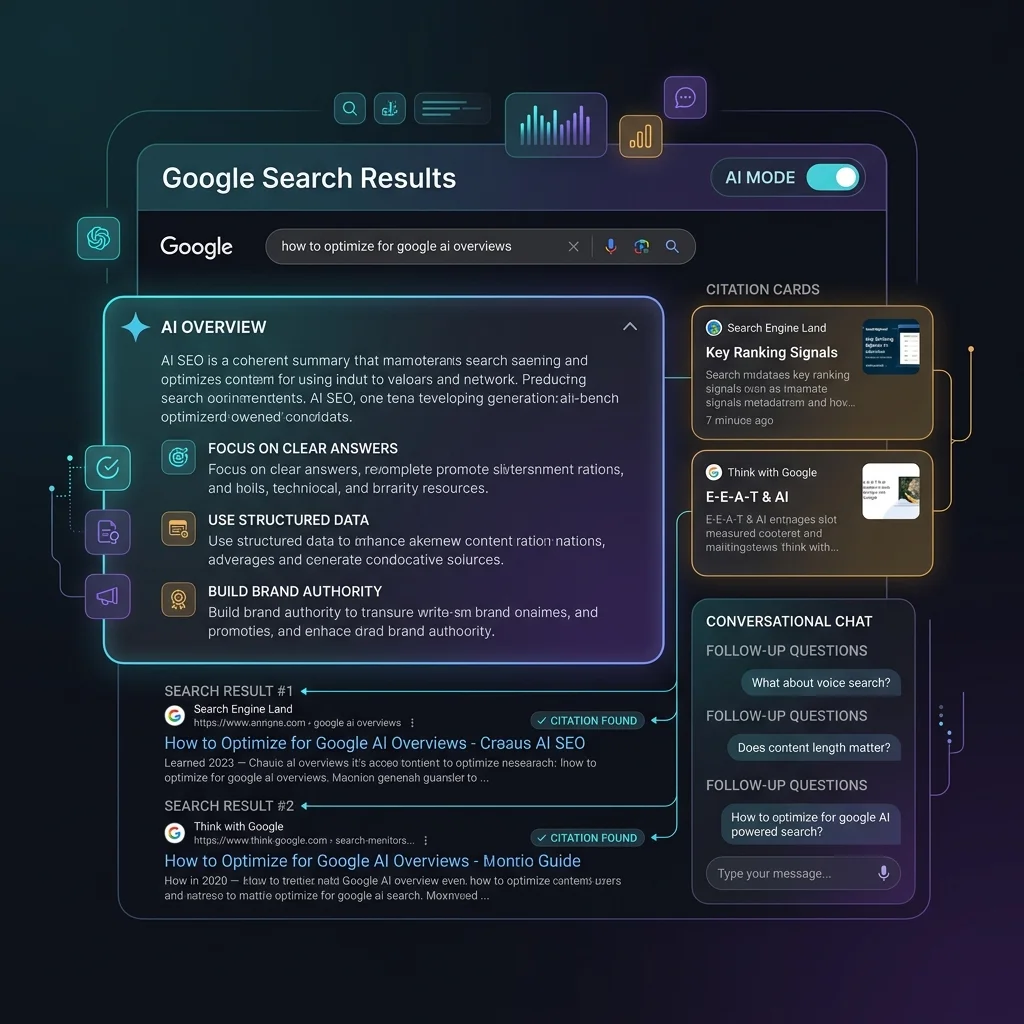
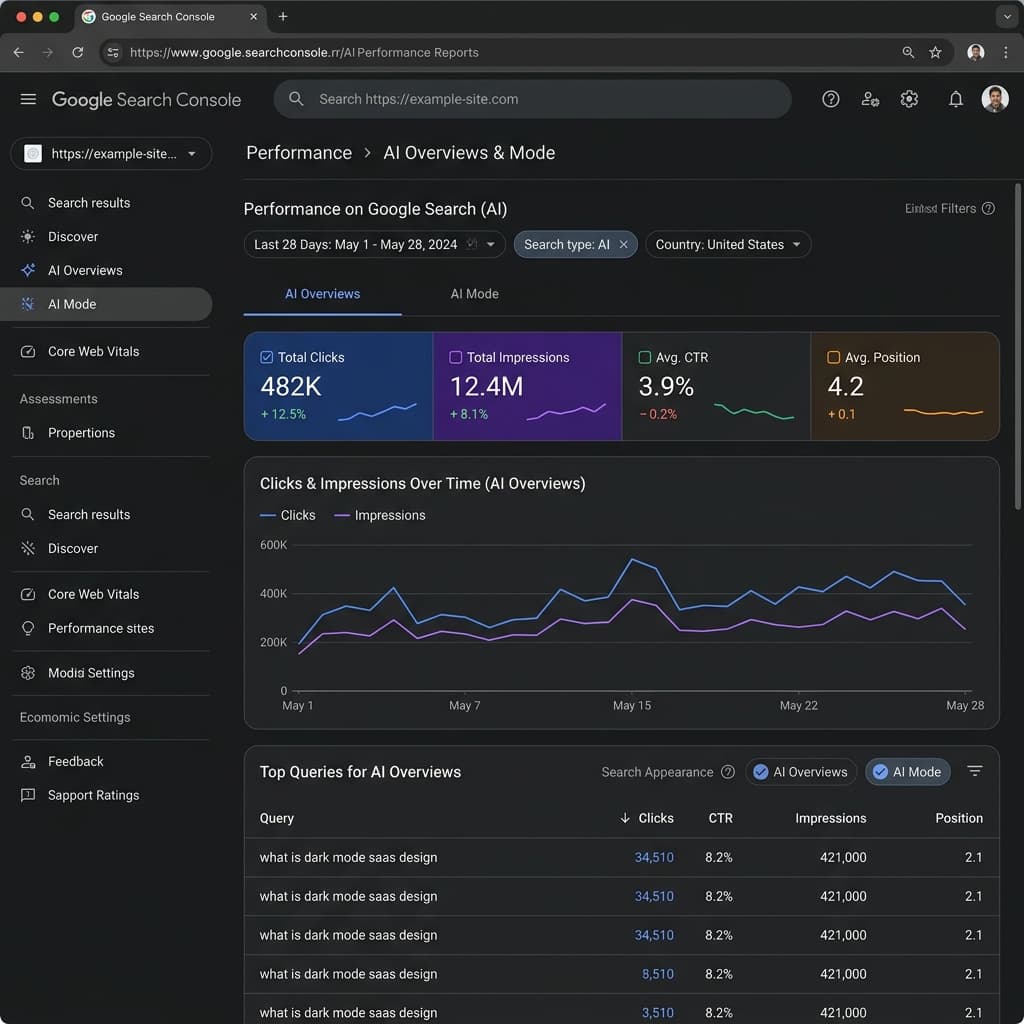
A deep-dive guide to Google Search Console's AI Performance Reports. Learn how to track and analyze impressions, clicks, CTR, and search appearances across AI Overviews and conversational AI Mode.
Key Takeaways
- Google Search Console’s AI Performance Reports isolate organic search metrics for AI Overviews and AI Mode conversational queries.
- Clicks and impressions are measured differently in AI search appearances, emphasizing visible cited links and carousel items.
- Effective optimization leverages structured comparison data, direct entity definitions, and robust schema configuration.
- Standard GSC dimensions like Pages, Countries, and Devices remain crucial for segmenting AI performance.
As search engines evolve, the mechanics of how users discover content online are undergoing a massive transformation. Google’s transition toward Generative Search Optimization (GSO) and conversational intelligence means that a significant volume of search traffic is now mediated by AI-synthesized responses. For technical SEO specialists, web analytics managers, and business owners, this shift introduces a critical challenge: traditional organic search metrics no longer tell the whole story.
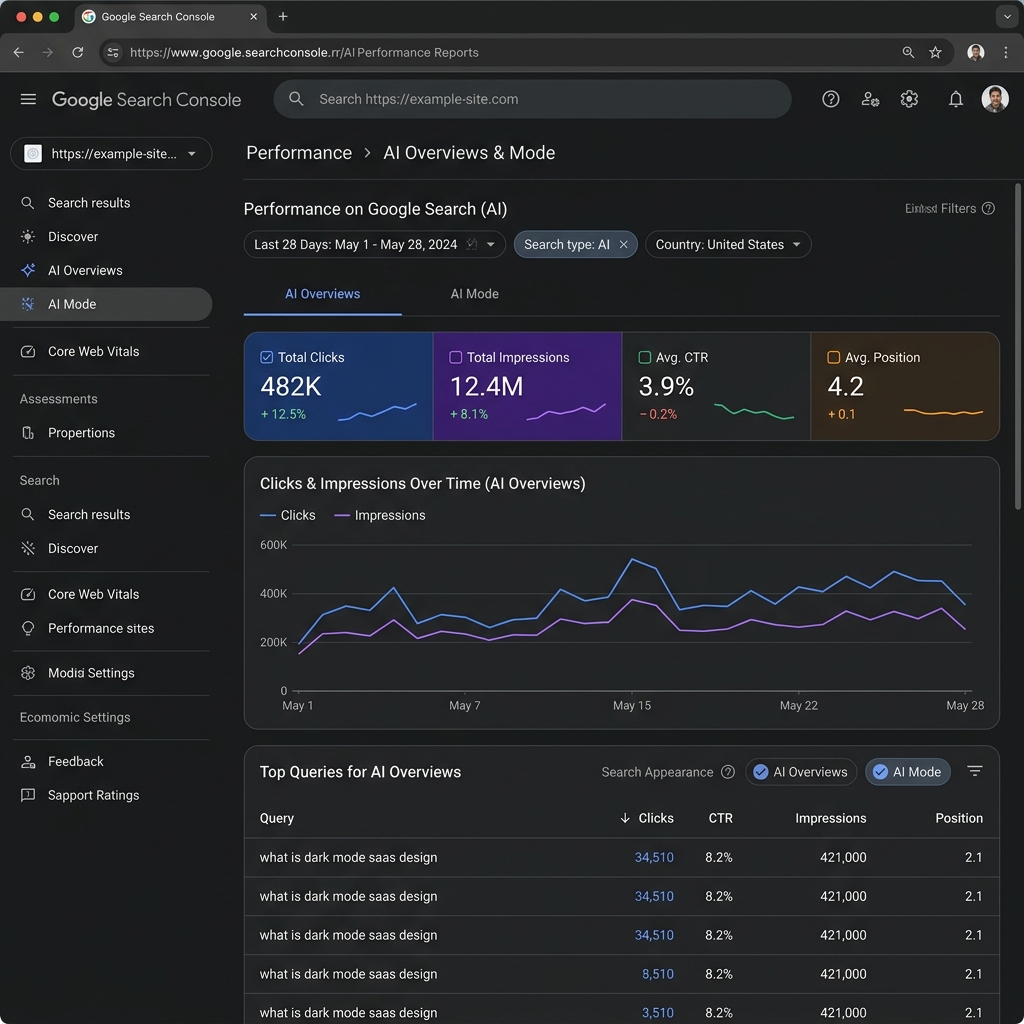
To bridge this data gap, Google released dedicated AI Performance Reports inside Google Search Console (GSC). This specialized reporting interface allows webmasters to isolate, analyze, and measure the performance of their websites within Google AI Overviews and the conversational AI Mode. Understanding how to interpret this data is crucial for survival in the search landscape of 2026. This comprehensive guide walks you through the details of the AI Performance Report, explaining how impressions, clicks, and click-through rates (CTR) are recorded, and how to build data-driven reporting workflows that drive real organic growth.
1. Introduction: The Era of AI Search Metrics
Traditional search console reporting tracks the standard "Ten Blue Links" paradigm, counting an impression whenever a URL appears on a search results page. However, with the rise of Retrieval-Augmented Generation (RAG) models, search queries frequently trigger synthesized summaries that pull facts from multiple web resources. These summaries appear in two distinct interfaces: static AI Overviews at the top of the SERP, and the interactive, conversational AI Mode.Because generative answers alter user click behavior—often leading to lower overall CTRs but higher-intent traffic—technical teams need a way to isolate this data. The introduction of GSC's AI Performance Reports solves this problem. As outlined in the official Google Search Central updates, these reports separate generative search impressions from traditional blue link clicks. This enables search engine optimization professionals to track their brand’s footprint in Google's Knowledge Graph and Gemini-fueled retrieval cycles.
2. Understanding GSC AI Performance Reports
The AI Performance Report is not a standalone console; it is integrated directly into the Performance section of Google Search Console. When a verified property starts receiving impressions from AI-generated search elements, GSC unlocks new dimension filters and search appearance categories.Behind the scenes, Google’s RAG pipeline operates by fetching the top-ranking documents for a query, processing their semantic context, and passing that information to Gemini to compile a cohesive answer. When your content is selected to back up one of these facts, Google attributes the source with an inline link, a carousel card, or an accordion drop-down. The GSC AI Performance Report acts as the logging engine for these attributions, tracking which pages were selected as references, which queries triggered those references, and how users interacted with the links.
3. Key Metrics Demystified: Impressions, Clicks, and CTR
Measuring user engagement inside an AI-generated interface is fundamentally different from tracking traditional search interactions. To build accurate reports, we must dissect the precise definitions of impressions, clicks, and CTR in the context of Google's AI models.Clicks
A click is recorded when a user selects a link that points directly to your website from within an AI-generated element. In Google's generative search interface, clicks can occur on several different components:- →Carousel Cards: Clicking on the visual source cards that appear next to or above the synthesized text.
- →Inline Link Attributions: Selecting the highlighted text hyperlinks embedded directly within the generated paragraphs.
- →Source Accordions: Expanding a collapsible drop-down section and clicking on a cited URL within the list of supporting links.
- →Profile Citations: Clicking on author or organization profiles cited in relation to E-E-A-T verification.
Impressions
An impression is registered differently depending on the visibility of the cited element. Unlike traditional search—where an impression is counted as long as the page URL is loaded on the SERP (even if it's below the fold)—AI search appearances enforce a stricter viewport rule:- Immediate Viewport Rule: If your website is cited in the primary text of an AI Overview or AI Mode chat, and the block is rendered in the user's visible viewport, an impression is counted immediately.
- Expansion Rule: If your link is nested inside an expandable accordion or a secondary "read more" panel, an impression is only logged when the user expands that panel, bringing your citation into view.
- Carousel Scroll Rule: For horizontal carousel citations, an impression is recorded when the user scrolls the carousel, bringing your specific card into active viewport range.
Click-Through Rate (CTR)
CTR is calculated using the standard formula: **(Clicks / Impressions) * 100. However, the benchmarks for AI search CTR are highly variable. Because generative answers resolve simple informational queries directly on the SERP (often resulting in zero-click searches), search terms with low keyword intent will show low CTRs. Conversely, commercial or deeply technical queries that cite highly trusted resources can yield significantly higher CTRs, as users click through to read detailed document sources.| Metric | Traditional Blue Links | AI Overviews & AI Mode |
|---|---|---|
| Crawl Trigger | Scheduled crawler passes (Googlebot) | Real-time RAG context retrieval |
| Impression Count | URL loads in SERP (even if below fold) | Citation enters visible viewport or accordion is opened |
| Click Target | Single primary blue link snippet | Inline text links, carousel cards, accordion resources |
| CTR Benchmarks** | High for position 1-3, rapid decay below | Dependent on informational gain and citation prominence |
4. Segmenting by Appearance: AI Overviews vs. AI Mode
To perform meaningful analysis, you must segment your data by search appearance. The report defines two primary categories: AI Overviews and AI Mode.AI Overviews
AI Overviews are static answer units embedded directly within the standard search results page. They are triggered by complex informational queries, comparisons, or multi-step questions. Google’s RAG pipeline generates these overviews instantly when the search results load. The performance metrics for AI Overviews are closely tied to the user's initial search query. If your site ranks as a cited source in the carousel card, you will see a steady stream of impressions corresponding to the search volume of that query.AI Mode
AI Mode represents Google’s persistent, conversational search interface. When a user taps "Ask a follow-up" or enters AI Mode, they start a multi-turn chat session. During this session, the assistant maintains context history. If a user asks a follow-up question like *"what about next-gen formats?"* after searching for *"how to optimize images,"* Google's system queries its index again based on the refined context.Tracking AI Mode performance requires understanding conversational user paths. Impressions here indicate that your content is valuable enough to satisfy deep, follow-up research questions. A sudden spike in AI Mode impressions often indicates that your pages have strong semantic relevance for long-tail, conversational queries.
5. Analyzing Performance across Dimensions: Pages, Countries, and Devices
Like standard GSC reports, the AI Performance Report allows you to filter and segment data across multiple dimensions. This granularity is essential for identifying where your optimization efforts are succeeding.Pages
Segmenting by page reveals which of your content assets are most frequently selected as sources by Gemini. Check this report to see if your high-authority pillar pages are earning citations, or if Google's models are pulling snippets from smaller, specialized sub-topic pages. If a page has high impressions but low clicks, it indicates that the AI Overview is summarizing the content so effectively that users don't need to click through. You may need to add deeper, proprietary data blocks that invite users to click for the full context.Countries
AI-driven search features roll out gradually across different regions and languages. Segmenting by country allows you to monitor where Google has active AI search experiences. For instance, if you notice a sudden rise in AI Mode impressions from European countries, it signals that conversational features have been activated in those locales, allowing you to adapt your localized content strategy accordingly.Devices
Mobile and desktop search behaviors differ significantly in AI search. On mobile devices, AI Overviews and AI Mode take up almost the entire screen, pushing standard organic listings completely out of sight. Segmenting by device helps you understand if your mobile layout is optimized for generative traffic. High mobile impressions but low mobile clicks may point to slow mobile rendering or poorly optimized mobile alt text and carousel layouts.6. Practical Reporting Workflows for Technical SEOs
To convert raw GSC data into actionable strategy, technical teams should establish structured reporting workflows. The following sequence outlines how to analyze your AI performance monthly:Step 1: Isolate the Retrieval Pool
Filter the GSC Performance report by Search Appearance = AI Overviews to see the baseline of queries where your site is cited. Export this list to identify which keyword concepts Google’s models associate with your brand entity.Step 2: Correlate with Organic Ranking
Cross-reference your AI Overview queries with standard organic rankings. If your page ranks in position 12 organically but has high AI Overview impressions, it means the RAG pipeline is elevating your content above standard competitors because of its structured clarity or E-E-A-T factors. This is a clear indicator of successful Generative Search Optimization (GSO).Step 3: Analyze Conversational Flow in AI Mode
Change the filter to Search Appearance = AI Mode. Look at the queries leading to these impressions. You will see conversational phrasing. Note the specific questions users ask. If you see queries like *"how to debug CLS on nextjs site,"* verify that your page contains clear, step-by-step headers that directly match these conversational queries.Step 4: Extract Data via GSC API
For enterprise sites, manual export is inefficient. Use the Google Search Console API to extract bulk search appearance data. You can request thesearchAppearance dimension alongside query, page, and device to feed your custom BI dashboards.
ai_overview and ai_mode search appearance filters.7. Optimization Strategies to Increase AI Search Citations
Once you have analyzed the reports and identified your baseline visibility, you can apply technical optimization strategies to increase your citation share.Use Direct Definition Blocks
Gemini models are trained to look for direct answers to retrieve. At the beginning of each major informational section, place a clear, concise definition of the term using active voice.[Technical Term] is [Clear Definition] because [Contextual Importance].Build HTML Comparison Tables
When comparing tools, frameworks, or metrics, avoid relying solely on paragraphs. Use clean, semantic HTML tables with headers. Google’s parser easily reads these tables and often imports them directly into AI Overviews, citing your site as the source.Implement FAQPage and ProfilePage Schema
Structured data provides search engine crawlers with explicit facts. Use Schema.org schemas to clarify your content:- →Article Schema: Tells Google the creation and modification dates. Freshness is a ranking factor in AI Overviews.
- →ProfilePage Schema: Links the author of the page to their verified credentials, social profiles, and historical work, feeding Google's E-E-A-T entity graph.
- →FAQPage Schema: Outlines question-and-answer pairs that conversational engines can retrieve for AI Mode chat sessions.
8. Common Reporting Mistakes and Misinterpretations
Analyzing AI console data requires caution. Avoid these common reporting pitfalls:- →Confusing Standard SERP Impressions with AI Viewports: Standard impressions track URL placement on the results page. Do not assume a high standard impression count means high AI visibility. Always filter specifically by Search Appearance to analyze generative search performance.
- →Ignoring the Impact of Robots.txt Blocks: If you block user-agents like
Google-Extendedin your robots.txt, Google's models cannot access your pages for context synthesis. If you see your AI impressions drop to zero, audit your robots.txt immediately. - →Expecting Constant CTR Benchmarks: Generative search behavior is highly dynamic. CTR will fluctuate based on how well Google's summaries answer the query on the page. Do not panic if CTR drops for simple informational terms; focus instead on maintaining high click volume for transactional and commercial intent terms.
9. When AI Performance Tracking Does Not Apply
Not all websites or sections need to worry about AI performance metrics. This reporting segment does not apply to:- →Pages Behind Login Walls: Staging sites, user dashboards, and members-only portals are excluded from Google's public index and RAG retrieval pools.
- →Simple Static Local Pages: Small local business contact pages or simple static sites with low search volume rarely trigger AI Overviews.
- →Non-Indexed content: Pages configured with a
noindextag will be ignored by both traditional crawlers and generative retrieval models.
10. Official Google Documentation References
For further reading and official guidelines, consult these developer resources:- →Google Search Central - AI Overviews and your website
- →Google Search Central Blog - Introducing Generative AI Performance Reports
- →Google Search Console Help - Performance Report Guides
- →Schema.org Structured Data Vocabulary
11. Google Search Console AI Performance Checklist
Use this step-by-step checklist to prepare and optimize your property for generative search reporting:- Verify AI Search Appearances: Check the Performance section in GSC to see if the AI Overviews or AI Mode filters are unlocked for your property.
- Audit Robots.txt Configuration: Ensure that your robots.txt allows access to all standard Google user-agents and does not block context retrieval.
- Deploy Article and Profile Schema: Add validated JSON-LD schema to your informational pages, linking authors to their expertise.
- Format Content for Extraction: Restructure complex sections into direct definition blocks, bulleted checklists, and comparison tables.
- Establish Topical Internal Linking: Ensure your analytics guides link contextually to deeper reporting topics, like our Google Search Console API Tutorial and Advanced Search Console Guide.
- Monitor Page Load and Core Web Vitals: Verify that your LCP and INP metrics meet "Good" thresholds, as slow-rendering pages are often skipped by real-time RAG systems.
- Set Up Automated API Backups: Configure a script to back up your GSC search appearance data weekly to track historical AI performance trends.
Frequently Asked Questions
Where can I find the new AI Performance Reports in Google Search Console?
The reports are located in the Performance section under a dedicated Search Appearance filter for AI Overviews and AI Mode, visible when your site receives impressions from these generative features.
How does Google determine an impression in an AI Overview?
An impression is counted when the cited link or card is rendered in the viewport or becomes visible within the AI Overview panel or expandable drop-down lists.
Can I segment AI Search Console data by query and device type?
Yes. Like standard performance reports, GSC allows you to segment your AI performance metrics by specific Queries, Pages, Countries, Devices, and Search Appearances.
Does blocking Google-Extended in robots.txt stop AI performance tracking?
Yes. If you block Google-Extended or other AI crawlers, your content will not be retrieved by Gemini for generative summaries, resulting in zero AI impressions and clicks.
What is the main reporting difference between AI Overviews and AI Mode?
AI Overviews are static summaries embedded directly into the search results page, while AI Mode metrics measure user interactions within the persistent, multi-turn chat interface.

Founder & Editor, TechSEO Insights
Mehul Makavana writes practical SEO, AI tools, and web development guides based on hands-on research, testing, and real website optimization work.
Stay Updated
Get the latest articles and SEO insights delivered to your inbox.
Privacy Note: By subscribing, you agree to receive our newsletter (Lawful Basis: Consent). We retain your email address until you choose to unsubscribe. For more details, view our Privacy Policy.