HTTP/3 and SEO: How Next-Gen Network Protocols Accelerate Site Speed
Understand how the HTTP/3 QUIC protocol reduces connection latency, improves mobile loading speeds, and boosts Core Web Vitals.
Key Takeaways
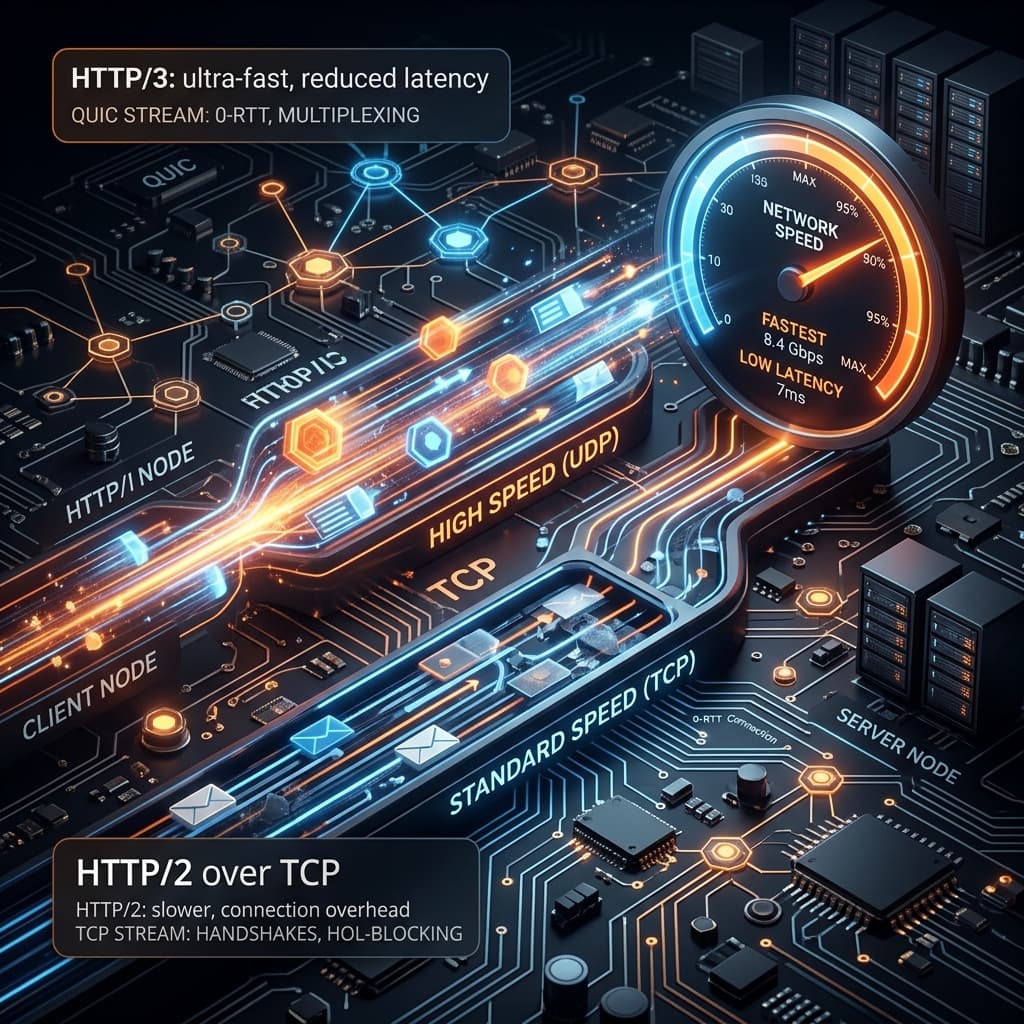
- HTTP/3 uses the UDP-based QUIC protocol instead of TCP to establish connections.
- By eliminating head-of-line blocking, HTTP/3 resolves packet loss delays.
- HTTP/3 improves mobile loading speeds dramatically over cellular networks.
Network latency is the silent killer of user experience and search engine visibility. If your web server takes too long to respond or negotiate security handshakes, users will abandon your site long before it finishes loading. While developers spend countless hours optimizing image sizes and purging unused CSS, one of the most significant performance upgrades happens at the network transport layer: the transition to HTTP/3.
HTTP/3 is the third major version of the Hypertext Transfer Protocol. Unlike its predecessors, HTTP/1.1 and HTTP/2, which rely on the decades-old Transmission Control Protocol (TCP), HTTP/3 is built on a new transport protocol called QUIC (Quick UDP Internet Connections). Originally designed by Google and refined by the Internet Engineering Task Force (IETF), HTTP/3 represents a fundamental paradigm shift in how data moves across the web.
1. What Makes HTTP/3 Different?
To understand the benefits of HTTP/3, we must first examine the limitations of HTTP/2 and TCP.
The Handshake Bottleneck
Under HTTP/2, establishing a secure connection is a multi-step process. First, the browser performs a TCP handshake (1 round-trip) to establish a connection with the server. Next, it performs a TLS handshake (1 to 2 round-trips) to negotiate encryption keys. Only after these round-trips are complete can the browser request the page content. This delay is known as Time to First Byte (TTFB).QUIC combines the connection handshake and the encryption handshake (using TLS 1.3) into a single step. Under HTTP/3, a secure connection is negotiated in just 1 round-trip (1-RTT). For returning visitors, QUIC supports zero round-trip time (0-RTT) handshakes, allowing the browser to send encrypted requests immediately without waiting for server confirmation.
Resolving Head-of-Line (HoL) Blocking
HTTP/2 introduced multiplexing, allowing a single TCP connection to carry multiple requests and responses simultaneously. However, because TCP views the connection as a single, sequential stream of packets, a single dropped packet causes TCP to pause *all* streams while it requests a retransmission. This is known as TCP Head-of-Line Blocking.QUIC solves this by multiplexing streams at the transport level. Each file requested (HTML, CSS, JS, images) is treated as an independent stream. If a packet belonging to an image file is lost in transit, only that image's stream is paused. The streams for the critical CSS and JavaScript continue to transfer uninterrupted.
Seamless Connection Migration
TCP connections are bound to a specific IP address and port combination (a 4-tuple). If a user transitions from a home Wi-Fi network to a cellular LTE network (a common occurrence on mobile devices), the TCP connection breaks, forcing the browser to negotiate a new connection from scratch.QUIC uses a unique Connection ID that is independent of the network interface or IP address. If the user's IP changes, the connection remains active, and the transfer continues without interruption.
2. SEO and Core Web Vitals Impact
HTTP/3 directly improves the Core Web Vitals metrics that Google uses as search ranking signals.
| Metric | HTTP/2 (TCP) | HTTP/3 (UDP/QUIC) | SEO & UX Benefit |
|---|---|---|---|
| Connection Time | 2-3 round-trips | 0-1 round-trips | Lowers TTFB, accelerating page initialization. |
| Packet Loss Recovery | Pauses all streams | Pauses single stream | Prevents layout delays in unstable mobile networks. |
| Mobile Stability | Disconnects & reconnects | Maintains stream state | Delivers smooth mobile experiences, reducing bounce rates. |
Impact on LCP and FCP
By reducing TTFB and eliminating Head-of-Line Blocking, HTTP/3 ensures that critical assets (like stylesheets, fonts, and scripts) reach the browser much faster. This speeds up the First Contentful Paint (FCP) and the Largest Contentful Paint (LCP), especially on slow mobile connections where packet loss is frequent.Crawl Budget Optimization
Googlebot supports HTTP/3 crawling. If your server supports HTTP/3, Googlebot can fetch pages faster and with fewer round-trips. This reduces the resource footprint on your origin server and allows Google's crawlers to index more pages within your site's allocated crawl budget.3. How to Enable HTTP/3
Switching to HTTP/3 requires adjustments at the infrastructure layer rather than rewriting your application code.
Step 1: Utilize a Content Delivery Network (CDN)
The simplest way to enable HTTP/3 is to route your traffic through a modern CDN like Cloudflare, Fastly, Akamai, or AWS CloudFront.- →In Cloudflare, navigate to *Network* and toggle the HTTP/3 (with QUIC) setting to ON.
- →The CDN will automatically negotiate HTTP/3 connections with compatible client browsers while handling communication with your origin server.
Step 2: Server-Level Configurations
If you manage your own servers, you can build or enable the HTTP/3 modules directly:- →Caddy: Supports HTTP/3 automatically by default.
- →Nginx: Since version 1.25.0, Nginx includes native support for HTTP/3 via the
--with-http_v3_moduleconfiguration. - →Apache: Can support HTTP/3 via integration with LiteSpeed modules or proxy configurations.
server {
    # Listen on port 443 for both TCP (HTTP/2) and UDP (HTTP/3)
    listen 443 ssl;
    listen 443 quic reuseport;

    server_name www.seotech.app;

    # SSL and TLS 1.3 settings (required for QUIC)
    ssl_protocols TLSv1.3;
    ssl_certificate /path/to/cert.crt;
    ssl_certificate_key /path/to/cert.key;

    # Tell the browser that HTTP/3 is available on port 443
    add_header Alt-Svc 'h3=":443"; ma=86400';

    location / {
        # Enable Gzip or Brotli compression
        brotli_static on;
        try_files $uri $uri/ /index.html;
    }
}
Official References
Frequently Asked Questions
How do I check if my website supports HTTP/3?
Open browser developer tools, check the Network tab under the Protocol column, and verify if it displays 'h3' or 'http/3'. You can also use online tools like HTTP/3 Check.
Is HTTP/3 supported by Googlebot?
Yes, Googlebot crawls over HTTP/3 when supported by the host server, which helps reduce crawl latency and server CPU usage during connection handshakes.
Does HTTP/3 require changing my website's application code?
No. HTTP/3 is a transport layer protocol. You enable it at the server level (e.g., Nginx, Caddy) or through a CDN (e.g., Cloudflare) without altering your application code.
Does HTTP/3 replace HTTP/2 entirely?
No, HTTP/3 does not replace HTTP/2. Browsers and servers use a negotiation mechanism where the server advertises HTTP/3 support via the Alt-Svc header, falling back to HTTP/2 if QUIC is blocked.
How does HTTP/3 improve mobile user experience?
HTTP/3 uses QUIC connection migration, meaning mobile users transitioning between cellular data and Wi-Fi networks will not experience dropped connections or latency.
Does HTTP/3 require TLS 1.3?
Yes, the QUIC protocol requires TLS 1.3 for encryption. This ensures a faster 1-RTT connection setup while providing modern, state-of-the-art security.

Founder & Editor, TechSEO Insights
The TechSEO Editorial Team writes practical SEO, AI tools, and web development guides based on hands-on research, testing, and real website optimization work.
Subscribe to TechSEO Insights
Get the latest guides on technical SEO, Core Web Vitals, and content marketing delivered straight to your inbox.
Privacy Note: By subscribing, you agree to receive our newsletter (Lawful Basis: Consent). We retain your email address until you choose to unsubscribe. For more details, view our Privacy Policy.