React SEO Best Practices: Building Search-Friendly SPAs in 2026
Master React SEO with practical strategies for server-side rendering, metadata management, structured data, and performance optimization that boost search rankings.
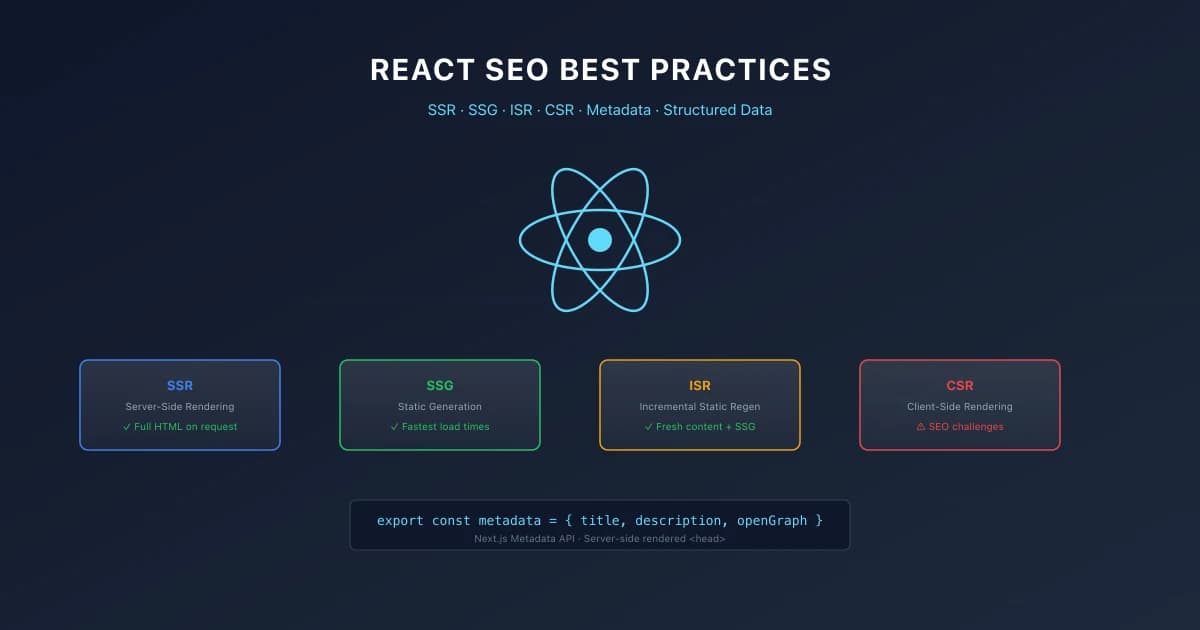
Advertisement
Key Takeaways
- Server-side rendering or static generation is essential for React applications that depend on organic search traffic
- Metadata must be rendered server-side to ensure all search engines can read it
- Code splitting and lazy loading improve both performance and crawlability
- Structured data must be included in the initial HTML response
- Dynamic rendering provides a fallback for legacy React applications
- Monitor indexed pages regularly to catch rendering issues early
React applications face a fundamental SEO challenge: they render content in the browser using JavaScript. When a search engine crawler requests a page built with client-side React, it receives a minimal HTML shell. The actual content only appears after JavaScript downloads, parses, and executes.
Googlebot has improved at processing JavaScript. It queues pages, executes JavaScript, and indexes the rendered content. But this process is slower than indexing static HTML. Google allocates limited crawl budget, and pages that require heavy processing may not get fully indexed.
Other search engines like Bing and Yandex have weaker JavaScript capabilities. Even Google can miss content that depends on complex data fetching or dynamic rendering paths.
SSR vs CSR vs SSG
The most critical decision for React SEO is choosing how your application renders. This decision affects everything from indexability to page speed.
Client-Side Rendering Problems
CSR delivers an empty HTML shell. The browser downloads JavaScript, which then renders the UI and fetches data. This creates two issues for SEO.
First, search engines must execute JavaScript to see content. Google does this, but it adds latency to the indexing pipeline. Pages may take days or weeks to appear in search results.
Second, users experience slower initial renders. They see a blank page while JavaScript executes. This increases bounce rates and negatively affects engagement metrics.
Airbnb moved from CSR to server-rendered pages and significantly improved their search engine visibility. Pages that previously took 5 seconds to become interactive loaded in under 2 seconds after migration.
Server-Side Rendering Benefits
SSR generates the complete HTML on the server for each request. The browser receives fully rendered content. Search engines see everything immediately without waiting for JavaScript execution.
Next.js provides getServerSideProps for SSR. Pages that depend on real-time data, user authentication, or frequently changing content benefit from server-side rendering.
E-commerce platforms like Nike use SSR for product pages. Dynamic pricing, inventory status, and personalized recommendations require server-side rendering to ensure both users and search engines see current data.
Static Generation Advantages
SSG produces HTML at build time and serves it from a CDN. This delivers the fastest possible load times because no server processing happens at request time.
Gatsby pioneered SSG for React, and Next.js supports it through getStaticProps. Documentation portals, marketing pages, and blog archives benefit from static generation.
Smashing Magazine switched to a static site and saw a 300 percent improvement in page load times. Their Largest Contentful Paint dropped from 3.2 seconds to 0.8 seconds.
The Hybrid Approach
Modern frameworks support both SSR and SSG on a per-page basis. Use SSG for marketing pages and SSR for application pages that need fresh data.
Next.js pioneered this hybrid approach. You choose the rendering strategy that fits each page content freshness requirements. A documentation site can use SSG for reference pages and SSR for search functionality.
Metadata Management
Search engines rely on metadata to understand and display pages in search results. React applications need special handling because metadata must appear in the initial HTML.
React Helmet for Custom SPAs
React Helmet manages document head elements. It accepts title, meta, link, and script tags as props and renders them into the HTML head.
The critical requirement is server-side rendering support. When used on the server, React Helmet injects metadata into the initial HTML before it is sent to the browser.
Create a reusable SEO component that accepts title, description, canonical URL, and Open Graph image as props. Apply this component on every page for consistent metadata coverage.
Next.js Metadata API
Next.js 15 includes a built-in Metadata API that eliminates third-party dependencies. You export a metadata object from page or layout files and the framework handles the rest.
The Metadata API supports automatic Open Graph image generation, dynamic values based on route parameters, and default values at the layout level. This is the recommended approach for Next.js applications.
Structured Data in React
Structured data helps search engines understand content and enables rich search results. In React applications, JSON-LD must be rendered on the server.
JSON-LD Implementation
JSON-LD is the recommended structured data format. Add a script tag with type application/ld+json to your component. The script must be present in the server-rendered HTML.
Build utility functions that generate schema objects for your content types:
function articleSchema(article) { return { '@context': 'https://schema.org', '@type': 'Article', headline: article.title, author: { '@type': 'Person', name: article.author }, datePublished: article.publishedAt, } }
Use these functions in your SEO component to generate structured data for every page.
Performance Optimization
Page speed directly affects SEO through Core Web Vitals. React applications can suffer from large bundle sizes that delay rendering. For a deeper look, see our Complete Guide to Core Web Vitals.
Code Splitting
React.lazy and Suspense enable route-based code splitting. Each page loads only its required JavaScript, reducing the initial bundle size and improving LCP.
Implement code splitting at the route level. Split third-party libraries into separate chunks. Monitor bundle size with webpack-bundle-analyzer or similar tools.
Image Optimization
Use the Next.js Image component or Gatsby Image plugin. These tools generate responsive images in modern formats, implement lazy loading, and optimize quality.
Images are often the largest element on a page. Optimizing them can improve LCP by several seconds.
Font Optimization
Custom fonts can cause layout shifts and delay text rendering. Use font-display: swap to ensure text remains visible. Subset fonts to include only needed characters. Preload critical font files.
Next.js integrates with next/font for automatic font optimization. It self-hosts Google Fonts, applies subsetting, and sets appropriate font-display values.
Dynamic Rendering
Dynamic rendering serves different content to search engines and regular users. Search engines receive pre-rendered HTML while users receive the full React application.
Tools like Rendertron and Prerender.io handle this. They detect bots by user agent and serve cached pre-rendered pages.
This approach is a fallback, not a replacement for SSR. It works well for legacy React applications that cannot easily migrate to SSR. A large media company used dynamic rendering to improve their indexed page count from 40 percent to 95 percent.
Monitoring React SEO
Regular monitoring ensures your SEO strategy works. Use Google Search Console to check indexed page counts and rendering issues.
The URL Inspection tool shows how Google renders your pages. Compare the rendered HTML with your source to verify content appears correctly.
Set up alerts for sudden drops in indexed pages. A decrease often indicates a JavaScript rendering problem that needs immediate investigation.
Real-World React SEO Success
Airbnb migrated their listing pages from client-side React to server-side rendering and saw significant improvements in search visibility. Pages that previously struggled with indexing due to JavaScript execution delays were fully indexed within days. Their organic traffic from Google increased by 25 percent within three months of the migration.
Betterment, a financial services platform, implemented server-side rendering for their public-facing content pages. Their indexed page count increased from 60 percent to 98 percent. They reported that the performance improvements also reduced bounce rates by 15 percent.
These examples demonstrate that React SEO is achievable with the right architecture. The investment in SSR or SSG pays dividends in both search visibility and user experience.
Common React SEO Mistakes
Many React developers make avoidable SEO mistakes. The most common is relying on client-side rendering without a fallback. Even with Googlebot improved JavaScript handling, search engines can miss content that depends on complex data fetching patterns.
Another frequent mistake is failing to implement proper error boundaries. When a client-side component fails to render, the entire page may appear blank to search engines. Error boundaries ensure that component failures do not prevent the rest of the page from rendering.
Missing meta descriptions is another common issue. Dynamic SPAs often neglect to set unique meta descriptions for every page. Search engines will auto-generate descriptions from page content, but these are rarely as effective as well-crafted meta descriptions.
Finally, many React sites neglect canonical URLs. Without proper canonical tags, search engines may index multiple versions of the same content, especially in SPAs with complex routing.
React Server Rendering Hydration Example
import React from 'react';
import { hydrateRoot } from 'react-dom/client';
import App from './App';

hydrateRoot(document.getElementById('root'), <App />);
When This Does Not Apply
- →Static Marketing Pages: Simple, light static sites with minimal dynamic elements rarely need complex server-rendering, database connections, or API performance strategies.
- →Non-Indexed Portals: Staging sites, dashboard pages behind authentication, or internal company wikis do not benefit from structured data or search engine indexability optimization.
Official References
Advertisement
Frequently Asked Questions
Does Google index React content properly?
Yes, but with caveats. Google can render and index JavaScript content, but client-side rendered pages may experience delays. Server-side rendering ensures faster and more reliable indexing. Check our [Next.js SEO Best Practices](/blog/nextjs-seo-best-practices) for framework-specific guidance.
Should I migrate my React app to Next.js for SEO?
Next.js provides built-in SSR, SSG, and metadata management that solve most React SEO challenges. It is the most [practical](/blog/structured-data-markup-guide-2026) choice for SEO-focused React applications.
Can I add meta tags to a client-side React app?
Technically yes, but they will not appear in the initial HTML. Search engines that do not execute JavaScript will miss them. Always render metadata on the server.
What is the difference between SSR and SSG for SEO?
SSR generates HTML per request, ensuring content is always current. SSG generates HTML at build time, delivering faster load times. Both provide fully rendered content to search engines.
How do I verify Google is indexing my React pages?
Use the Google Search Console URL Inspection tool. It shows how Google renders your page and what content it sees. Check high-value pages regularly.

Technical SEO Specialist & Web Performance Engineer
Daniel Ashcroft is a Technical SEO Specialist with 9+ years of experience optimizing enterprise web applications for search performance. He specializes in Next.js architecture, Core Web Vitals, and technical SEO implementations that bridge development and marketing. He has led SEO migrations for Fortune 500 companies, managed crawl optimization for million-page sites, and built automated auditing tools used by agencies worldwide. Daniel has helped clients achieve 40%+ organic traffic improvements through JavaScript SEO, server-side rendering, and performance optimization. He is a regular speaker at BrightonSEO, SMX, and SearchLove, contributing to publications including Search Engine Land and Moz Blog. Daniel is committed to making the web faster, more accessible, and more discoverable through technical excellence.
Comments are temporarily unavailable.
Stay Updated
Get the latest articles and SEO insights delivered to your inbox.
No spam. Unsubscribe anytime.
Related Articles

Google AI Overviews and AI Mode SEO: A Practical Visibility Framework (2026)
An in-depth guide to achieving high visibility in Google AI Overviews and AI Mode conversational search. Learn the RAG pipeline, key ranking factors, E-E-A-T requirements, and structured data optimization.

Core Web Vitals Debugging Playbook: Diagnose and Fix LCP, INP, and CLS Issues
Stop guessing why your Core Web Vitals are failing. Learn a systematic debugging workflow for LCP, INP, and CLS issues with real diagnostic techniques, CrUX analysis, and framework-specific fixes.

Internal Linking Strategy for SEO: A Complete Framework
Build an internal linking framework that distributes link equity, establishes content relationships, and drives rankings across your entire site.
Advertisement